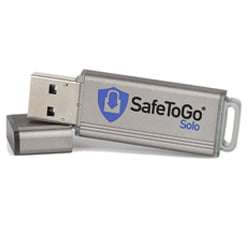
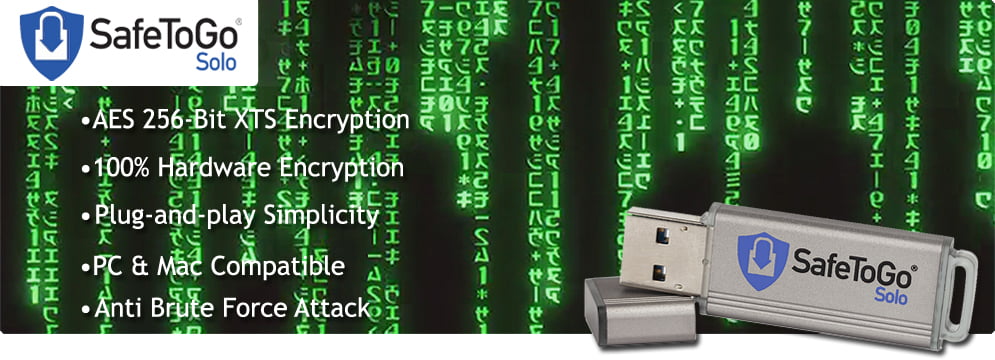
Branded Encrypted USB Drives
At a glance
- Encrypted USB drives scramble your data so it is unreadable to anyone without the correct PIN or password.
- Hardware encryption – handled on the drive itself – is more secure than software encryption and needs no installs.
- Look for AES 256-bit encryption, PIN access, brute-force protection and recognised certification such as FIPS.
- Essential for any organisation handling personal or confidential data – and yes, they can still be branded with your logo.
A lost or stolen USB stick is a data breach waiting to happen. When that little drive holds customer records, patient data or confidential business information, losing it can mean regulatory fines, reputational damage and real harm to the people whose data it held. Branded encrypted USB drives solve that problem: they combine the convenience and marketing value of a promotional USB stick with hardware-grade security that keeps the data safe even if the drive falls into the wrong hands. Here is how they work, what to look for, and who needs them.
What is an encrypted USB drive?
An encrypted USB drive is a flash drive that automatically scrambles the data stored on it using an encryption algorithm. Without the correct PIN, password or key, the contents are unreadable – just meaningless scrambled data. Encryption is the same principle that protects online banking and secure messaging, applied to portable storage. So if the drive is lost or stolen, whoever finds it cannot access your files, because they do not have the key to unlock them. The data is protected at rest, on the drive, at all times.
Hardware vs software encryption
There are two ways to encrypt a USB drive, and the difference matters. Software encryption uses a program on the host computer to encrypt and decrypt the data. It is cheaper and can be added to a standard drive, but it relies on the host machine, can be slower, and is more exposed to attacks such as keyloggers or malware. Hardware encryption is built into the drive itself, using a dedicated chip that handles everything on-device. It is faster, works on any computer with no software to install or admin rights required, and keeps the encryption keys off the host machine entirely – making it significantly more secure. For genuinely sensitive data, hardware-encrypted drives are the gold standard.
What to look for in an encrypted drive
Not all “secure” drives offer the same protection. These are the features that matter.
AES 256-bit encryption
AES (Advanced Encryption Standard) with a 256-bit key is the benchmark for strong encryption, used by governments and militaries worldwide. It is effectively impossible to brute-force with current technology, so it is what you want protecting your data.
PIN or keypad access
The best hardware-encrypted drives unlock with a PIN – often via a physical keypad on the drive itself. Because the PIN is entered on the device rather than the computer, it is immune to keyloggers on the host machine.
Brute-force protection
A crucial safeguard: after a set number of incorrect PIN attempts, the drive automatically wipes its encryption key, rendering the data permanently unrecoverable. This stops anyone simply guessing PINs until they get in.
Tamper-evident casing
High-security drives use rugged, tamper-evident or epoxy-filled casings that protect the internal components and make physical attacks on the memory far harder.
Recognised certification
Certifications such as FIPS 140-2 provide independent assurance that a drive meets a defined security standard – important for regulated industries and public-sector procurement.
Cross-platform, no software
A good hardware-encrypted drive works on any computer – Windows, macOS, Linux – with no software to install and no admin rights needed, so security never gets in the way of getting work done.
Who needs encrypted USB drives?
Any organisation that moves personal or confidential data on portable storage should be using them. Healthcare providers handling patient records, legal firms carrying case files, financial services moving client information, and government and public-sector bodies working with citizen data all have both a duty and, often, a regulatory obligation to protect that information. Businesses of every size share sensitive commercial data – contracts, HR files, product plans – that would be damaging to lose. If your staff carry any data that you would not want a stranger to read, an encrypted drive is a simple, effective safeguard. For the public sector in particular, they are increasingly a procurement requirement rather than a nice-to-have.
Encrypted drives and data protection
Data-protection law raises the stakes considerably. Under the UK GDPR and Data Protection Act, organisations must take appropriate technical measures to protect personal data, and a lost unencrypted drive full of personal information can constitute a reportable breach – with the fines, notifications and reputational fallout that follow. An encrypted drive materially reduces that risk: if a properly encrypted drive is lost, the data on it remains protected, which can be the difference between a serious breach and a non-event. Our guide to GDPR and USB drives explores the obligations in more detail, but the headline is simple – encryption is one of the most cost-effective ways to keep portable data compliant.
Can I still brand an encrypted drive?
Absolutely – and this is what makes branded encrypted drives so appealing. You do not have to choose between security and marketing. Encrypted drives can be printed or engraved with your logo just like any other promotional drive, so they double as a secure tool for your team and a branded item for clients or partners in regulated sectors. Handing a client a branded, encrypted drive sends a powerful message: that you take the security of their data seriously. They can even be pre-loaded with documents, delivered securely behind the drive’s encryption.
Encrypted vs standard USB drives
A standard USB drive is perfect for general, non-sensitive files – marketing materials, brochures, event handouts – where the goal is convenience and reach, and it is the more economical choice for large giveaways. An encrypted drive is the right tool whenever the data itself needs protecting. Many organisations use both: standard branded drives for public-facing content, and encrypted drives for anything confidential. The key is to match the drive to the sensitivity of the data it will carry, rather than treating every USB stick the same.
Best practices for using encrypted drives
An encrypted drive is only as effective as the habits around it, so a little discipline goes a long way. Set a strong, unique PIN or password – not an obvious sequence – and never write it on the drive or its packaging. Treat the PIN as confidential and avoid sharing it over insecure channels such as plain email or text. Because most secure drives will wipe themselves after repeated wrong attempts, always keep a backup of important files elsewhere, so a forgotten PIN or a deliberate auto-wipe never means losing the only copy of your data. Lock or eject the drive properly when you have finished, rather than yanking it out mid-transfer, and store it somewhere sensible when not in use. For organisations issuing drives to staff, it is worth setting a simple written policy – what can be stored, how PINs are managed, and what to do if a drive is lost – so everyone handles them consistently. None of this is onerous, and together these habits turn a secure device into a genuinely secure workflow. Encryption protects the data; good practice protects the encryption.
Encrypted drives in a hybrid-working world
The shift to remote and hybrid working has made portable data security more important, not less. Staff now routinely move between the office, home and client sites, often carrying work on the go, and that mobility multiplies the chances of a drive being lost on a train, in a café or in a car. At the same time, not every home or remote environment has the same controls as a managed office network. A hardware-encrypted drive is ideally suited to this reality: it needs no software or admin rights to work on a personal laptop, it protects data the moment it leaves the building, and it gives IT teams confidence that information carried outside the office is still safe if a device goes missing. For businesses balancing flexibility with their data-protection duties, issuing encrypted drives is a straightforward, cost-effective way to let people work anywhere without leaving sensitive data exposed.
Does encryption slow a drive down?
A common worry is that all this security must come at the cost of speed – but with hardware encryption the impact is minimal. Because a dedicated chip on the drive handles the encryption and decryption in real time, rather than borrowing your computer’s processor as software encryption does, files are protected on the fly with little or no noticeable slowdown for everyday use. The drive’s underlying USB version and flash quality have far more effect on real-world speed than the encryption itself. In practice, users of a good hardware-encrypted drive simply enter their PIN and then work exactly as they would with any other USB stick – the security runs quietly in the background.
Help & Support
Frequently Asked Questions
It is a flash drive that automatically scrambles the data stored on it using an encryption algorithm, so the contents are unreadable without the correct PIN, password or key. If the drive is lost or stolen, the data stays protected because whoever finds it cannot unlock it.
Software encryption uses a program on the host computer, which is cheaper but slower and more exposed to malware and keyloggers. Hardware encryption is built into the drive itself with a dedicated chip, works on any computer with no software or admin rights, keeps the keys off the host, and is significantly more secure.
AES 256-bit is the benchmark for strong encryption and is used by governments worldwide. Also look for PIN or keypad access, brute-force protection that wipes the drive after repeated wrong attempts, a tamper-evident casing, and recognised certification such as FIPS 140-2 for regulated environments.
They can play a major role. Data-protection law requires appropriate technical measures to protect personal data, and a lost unencrypted drive can be a reportable breach. If a properly encrypted drive is lost, the data remains protected, which can be the difference between a serious breach and a non-event.
Yes. Encrypted drives can be printed or engraved with your logo just like any other promotional drive, so they work as both a secure tool for your team and a branded gift for clients or partners – and they can be pre-loaded with documents behind the encryption.
Any organisation moving personal or confidential data on portable storage – healthcare, legal, financial services, government and public sector, and any business carrying sensitive commercial information. If your staff carry data you would not want a stranger to read, an encrypted drive is a simple safeguard.
Conclusion
In a world where a mislaid USB stick can trigger a data breach, encrypted drives are no longer a niche product – they are basic due diligence for anyone carrying sensitive information. Hardware-encrypted drives with AES 256-bit security, PIN access and brute-force protection keep your data safe even if the drive is lost, help you meet your data-protection obligations, and still carry your logo with pride. Match the drive to the sensitivity of the data, choose genuine hardware encryption for anything confidential, and you get security and branding in a single device. If you would like advice on the right encrypted USB drives for your organisation, our team is happy to help.